
By Johnny on
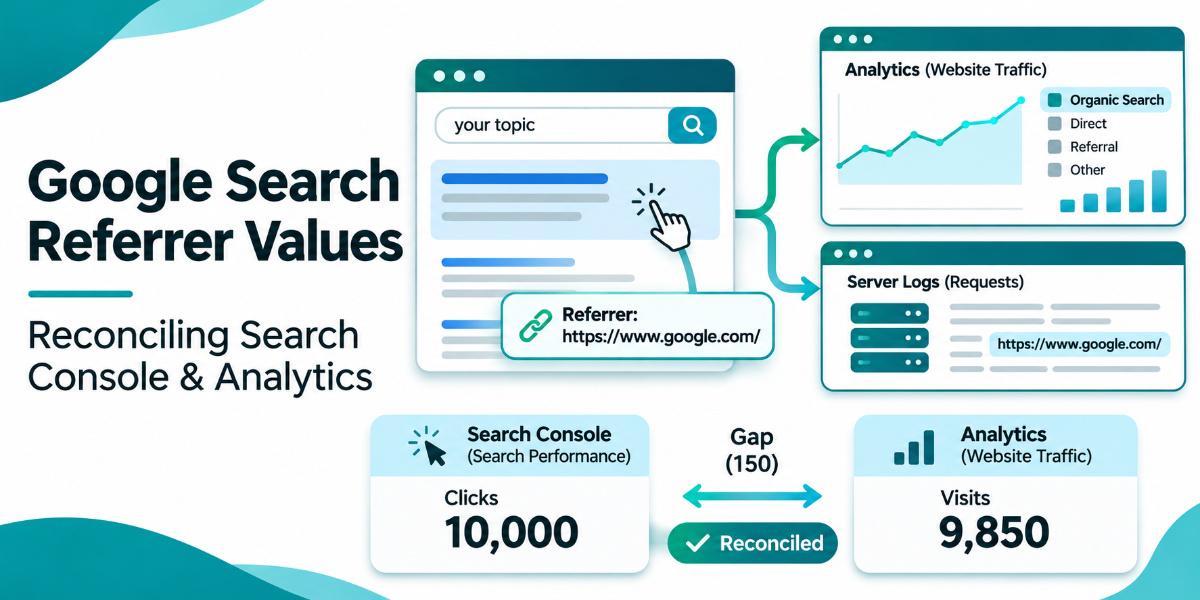
Knowing which referrer values Google Search sends is essential for measuring SEO and deciding what to do next. While Search Console shows clicks and impressions, the Identify Google Search traffic page lists the exact headers your server or analytics tool receives. By examining that list, you can spot missing visits, fix channel rules, and understand why a click in one report does not appear as a visit in the other.
The Referrer Values Google Sends
Google Search uses the origin referrer policy. This means the header only includes the scheme and host of the referring page. It does not include the path, query parameters, or the actual search query. You can find the full list of these values in the Identify Google Search traffic documentation.
Web visits from Google Search typically show https://www.google.com/. The Google app on Android may send a specific deep link value if it opens the link in a browser tab. Discover and Google Images traffic carry the same values as the surface where the user viewed them, so they are included in these patterns.
Why the Referrer Is Sometimes Blank
Browsers and operating systems often remove the referrer header for privacy reasons. This happens in private browsing modes, when opening results in a new tab, or when moving from a mobile search widget to an external browser. Privacy extensions and strict browser settings also strip this data.
Reconciling Your Numbers
Your analytics tool records a visit only after the page loads and executes the tracking script. Search Console records a click when a user selects a link. Ad blockers, consent choices, and privacy settings can block the script, creating a gap between the two reports. You should count only requests to your landing pages, not requests for images, CSS, or JavaScript files, which carry your own page URL as the referrer.
Client side redirects can also replace the referrer with your site’s URL. If a redirect drops the query string, it removes parameters like gclid, which is used for ad tagging. A redirect with a stricter Referrer Policy header can remove the referrer altogether. Check your custom channel rules and referral exclusions to ensure Google Search traffic is not being reclassified as referral or direct traffic.
Where to Look This Week
Open the Identify Google Search traffic page and compare the listed referrer values against your analytics configuration. Check your channel rules to see if Google Search traffic is being misclassified. Review your server logs or analytics reports for visits with a blank referrer to understand how many you are losing to privacy settings.
Look at the Performance report in Search Console to see which queries bring users to your site. The referrer header does not include the search query, so this report is the only place to see that data. Compare the click counts in Search Console with the visit counts in your analytics tool to identify the size of the gap.
Why This Matters for the Call
When you understand where search traffic comes from, you can trust the data behind your marketing decisions. A click in Search Console is a signal of interest. A visit in your analytics tool is a chance to convert that interest into a form fill or a call. If your numbers do not match, you may be missing leads or misattributing them to the wrong channel.
This is one small piece of the work. It is a byte of the larger SEO effort, but it keeps the data honest. The referrer log and the Performance report are the screens where you see the gap and fix it.
Search Console and analytics
You will know it worked when your analytics tool correctly classifies Google Search traffic as organic. You will see the referrer values in your logs match the list in the Identify Google Search traffic documentation. The gap between Search Console clicks and analytics visits will narrow as you fix channel rules and redirects.
Frequently Asked Questions
Why do my Search Console clicks not match my analytics visits?
Search Console records a click when a user selects a link. Analytics records a visit only after the page loads and executes the tracking script. Ad blockers, consent choices, and privacy settings can block the script, creating a gap.
What referrer values does Google Search send?
Google Search sends the scheme and host of the referring page, such as https://www.google.com/ or a local domain. It does not include the path, query parameters, or the search query.
How do I see which queries bring users to my site?
The referrer header does not include the search query. You need to use the Performance report in Search Console to see which queries bring users to your site.
Can redirects remove the referrer?
Yes. Client side redirects can replace the referrer with your site’s URL. A redirect that drops the query string removes parameters like gclid. A redirect with a stricter Referrer Policy header can remove the referrer altogether.
How do I count visits from Google Search in my logs?
Count only requests to your landing pages. Do not include requests for images, CSS, or JavaScript files, which carry your own page URL as the referrer.