Johnny
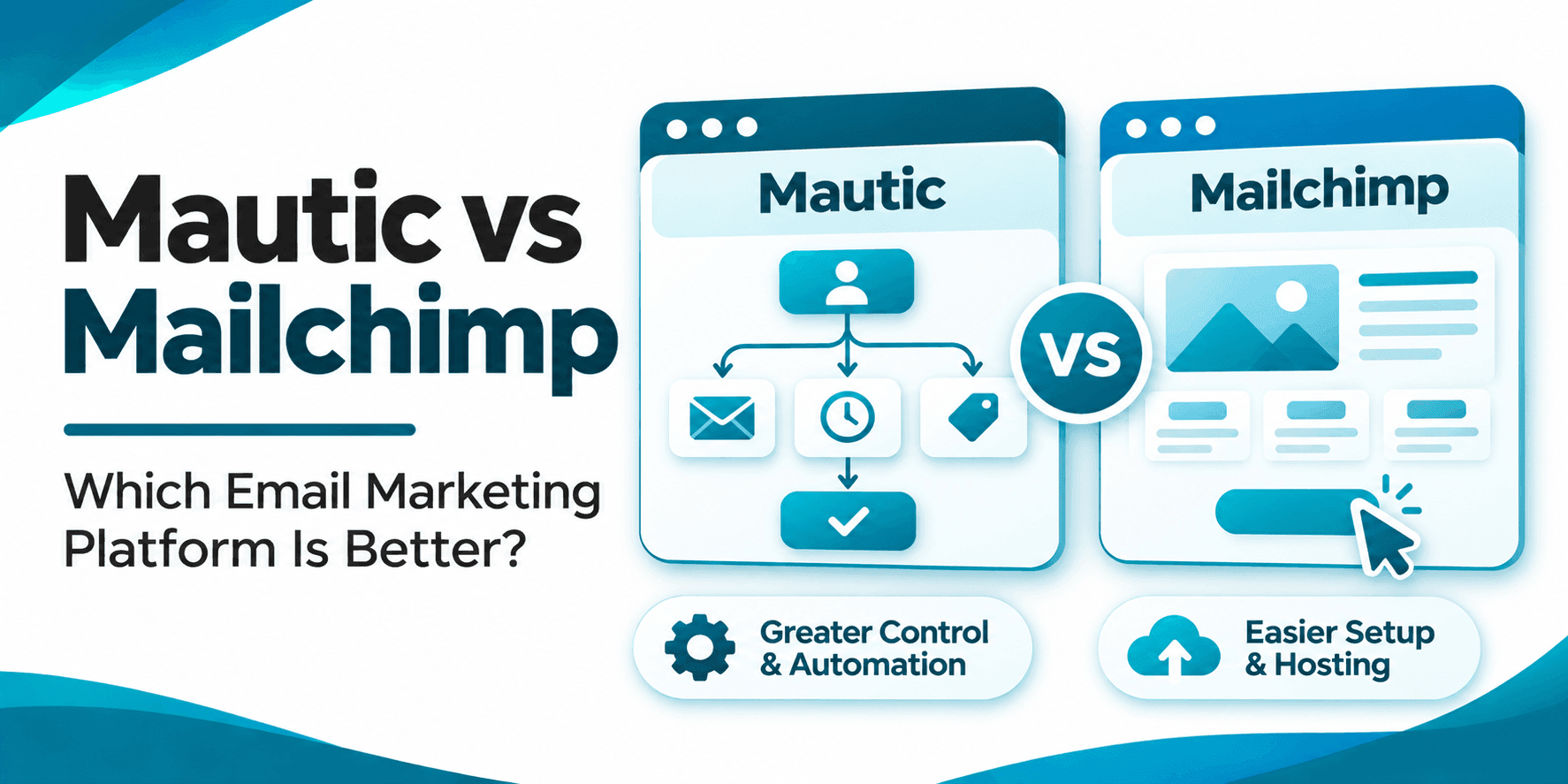
Choosing the right email marketing platform can make a significant difference in how your business communicates with customers, generates leads, and manages marketing campaigns. Two platforms worth comparing are Mautic and Mailchimp. Mailchimp is one of the most recognized email marketing platforms, offering an accessible way for businesses to create campaigns, manage subscribers, and automate customer communications. Mautic takes a different approach. As an open source marketing automation platform, it gives businesses greater control over their software, customer data, integrations, and automation workflows. Both platforms can help businesses improve their email marketing, but they serve different needs.
Mautic is an open source marketing automation platform that allows businesses to create, manage, and automate marketing campaigns. Unlike traditional subscription based marketing software, Mautic can be installed on your own server or deployed through a managed hosting provider. This gives businesses flexibility in how they operate their marketing infrastructure.
Mautic includes features such as:
One of Mautic’s biggest advantages is its flexibility. Businesses can build automation workflows around their specific needs rather than relying exclusively on predefined features offered by a software provider. For example, an ecommerce business could create a campaign that sends different follow up emails based on which products a customer purchases. However, Mautic typically requires more technical knowledge to install, configure, maintain, and troubleshoot than a fully hosted service.
Mailchimp is a hosted marketing platform that helps businesses create email campaigns, manage audiences, and automate customer communications. Because Mailchimp handles the underlying infrastructure, businesses don’t need to install or maintain their own marketing automation server.
Its features include:
Mailchimp is particularly appealing to small businesses that want to get started quickly. You can create an account, import subscribers, design an email, and begin building campaigns without managing your own hosting environment. However, Mailchimp’s pricing and available features depend on your subscription plan, contact count, and other usage limits. This can become an important consideration as your business grows.
Before exploring each platform in detail, here’s how Mautic and Mailchimp compare.
| Feature | Mautic | Mailchimp |
|---|---|---|
| Software model | Open source | Proprietary SaaS |
| Free option | Free self hosted software | Limited free plan |
| Hosting | Self hosted or managed | Hosted by Mailchimp |
| Contact limits | No software imposed contact cap when self hosted | Plan based limits |
| Email automation | Advanced campaign workflows | Plan dependent automation flows |
| Lead scoring | Available | Advanced capabilities vary by plan |
| Contact segmentation | Yes | Yes |
| Landing pages | Yes | Yes |
| Ecommerce integrations | Available through plugins and APIs | Supported integrations |
| SMS marketing | Through supported integrations | Available in supported plans and regions |
| Custom development | Source code and API access | API and supported integrations |
| Server maintenance | Your responsibility or a managed provider’s | Handled by Mailchimp |
| Ease of setup | More technical | Generally easier |
The biggest difference is control versus convenience. Mautic offers greater flexibility over your marketing infrastructure and automation, while Mailchimp offers a more accessible experience with less technical responsibility. Neither approach is automatically better for every business.
Pricing is one of the most important factors when comparing email marketing platforms. However, looking only at subscription fees can be misleading because the total cost of operating each platform depends on your contacts, sending volume, technical requirements, and available resources.
Mautic’s open source software is free to download and use. There are no software licensing fees simply for adding more contacts to a self hosted installation. However, running Mautic is not necessarily free.
You may need to pay for:
Fortunately, these expenses can be surprisingly affordable. For example, a business managing approximately 10,000 contacts may be able to operate Mautic on a server costing less than $20 per month, depending on its hosting provider, sending volume, and performance requirements. Email delivery can also be inexpensive when using services like Amazon Simple Email Service (SES), which offers à la carte outbound sending rates starting at $0.10 per 1,000 emails.
Mailchimp uses subscription pricing based on the number of contacts in your account and the features included in your plan. Unlike Mautic, which does not charge software licensing fees based on contact counts, Mailchimp becomes more expensive as your subscriber database grows.
As of November 2026, Mailchimp offers four marketing plans: Free, Essentials, Standard, and Premium. The Free plan supports up to 250 contacts and 500 email sends per month, with a maximum of 250 sends per day. Paid plans provide higher contact limits, more monthly email sends, and additional marketing features. Because pricing can change, businesses should always check Mailchimp’s official pricing page before making a decision.
The following table shows Mailchimp’s regular monthly pricing based on contact count, excluding introductory discounts and taxes.
| Contacts | Essentials | Standard | Premium |
|---|---|---|---|
| 500 | $13 | $20 | $350 |
| 1,500 | $26.50 | $45 | $350 |
| 2,500 | $45 | $60 | $350 |
| 5,000 | $75 | $100 | $350 |
| 10,000 | $110 | $135 | $350 |
| 15,000 | $180 | $230 | $465 |
| 20,000 | $230 | $285 | $535 |
| 25,000 | $270 | $310 | $620 |
| 50,000 | $385 | $450 | $815 |
Mautic can become cost effective for businesses managing large contact databases or complex automation workflows, particularly when they already have technical resources. However, server costs, maintenance, and developer time must be included in the comparison. Mailchimp may be more economical for smaller businesses that need straightforward campaigns and don’t want to manage infrastructure. The right comparison is your total cost of ownership, not simply whether the software has a monthly subscription fee.
Automation is where the differences between these platforms become particularly interesting. Both can automate email marketing, but their approaches differ in flexibility, technical requirements, and the features available to businesses.
Mautic includes a visual campaign builder that allows marketers to create workflows based on contact behavior, campaign conditions, and predefined actions. These workflows can be used to nurture leads, personalize communications, and respond to how contacts interact with your business.
For example, imagine someone downloads a free guide from your website. With Mautic, you could create a workflow that:
This allows businesses to build marketing journeys that respond to customer behavior. Mautic also supports additional functionality through its APIs, plugins, and custom development, making it particularly useful for businesses with specialized automation requirements.
Mailchimp provides marketing automation flows for tasks such as welcoming new subscribers, following up with customers, and recovering abandoned shopping carts. The available automation capabilities depend on your subscription plan.
For businesses that want to launch common email automation workflows quickly, Mailchimp’s hosted approach can be convenient. However, more specialized workflows may require a higher subscription tier or additional integrations.
Mautic is particularly attractive when you need substantial control over automation logic and integrations. Mailchimp is often easier for businesses that need familiar workflows without managing the technical environment.
If your marketing involves detailed lead scoring, custom behavior tracking, and interconnected systems, Mautic may provide greater flexibility. If you primarily need newsletters, welcome sequences, and standard customer followups, Mailchimp may be sufficient.
For additional guidance on building effective campaigns, read our email marketing strategy guide.
Not every customer should receive the same marketing message. Contact segmentation allows you to group subscribers according to relevant characteristics, interests, or behaviors. Both Mautic and Mailchimp support segmentation, but the level of flexibility and available capabilities can differ.
Mautic allows businesses to organize contacts using segments, tags, custom fields, and activity information. For example, you could organize customers based on:
These attributes can be used to personalize communications and trigger automation workflows. Because Mautic is open source, developers can also build integrations that connect additional customer information to marketing campaigns.
Mailchimp provides audience management and segmentation features that help businesses organize subscribers and deliver more relevant campaigns. Depending on the plan and integration, businesses can use contact attributes, tags, purchase activity, and engagement information.
Mailchimp’s advantage is that these features are available through a managed interface that doesn’t require maintaining a separate application server. However, advanced segmentation features and usage allowances can vary by plan.
If your business operates a WooCommerce store, integrating customer purchases with email marketing can unlock valuable automation opportunities. For example, you might want to send followup messages based on purchased products, customer interests, or completed orders.
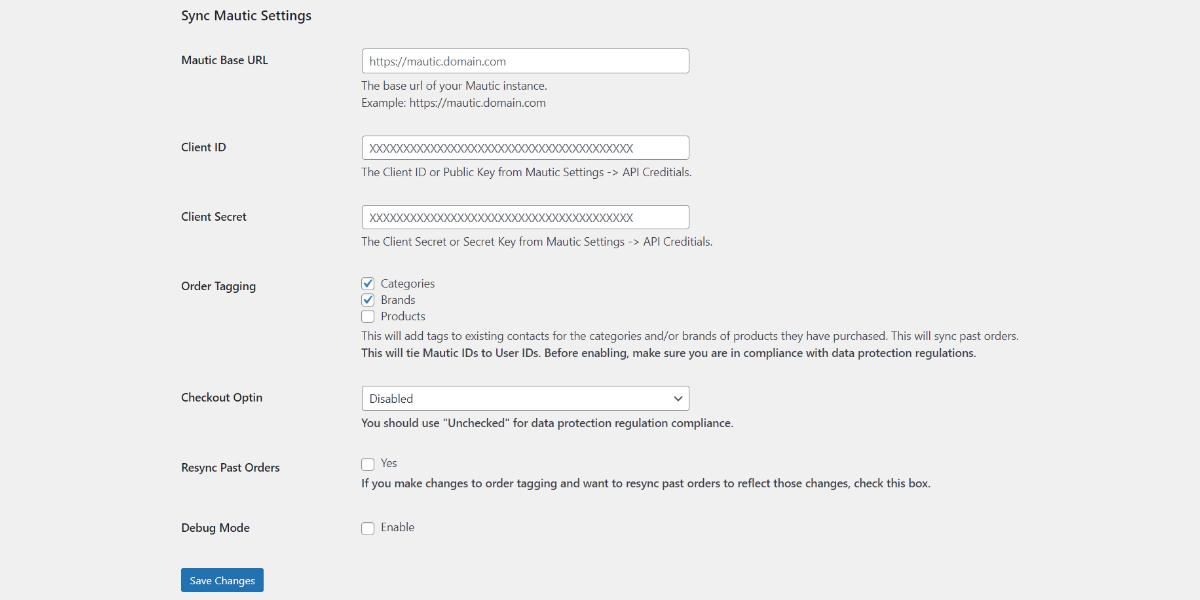
Mautic can integrate with WooCommerce through plugins, APIs, and custom development. At Dog Byte Marketing, we developed Sync Mautic, a WordPress integration that helps connect WordPress and WooCommerce data with Mautic.
The plugin can tag subscribed contacts based on completed WooCommerce purchases, including relevant product, category, and brand information. This information can help businesses create targeted campaigns. For example, a customer who purchases a particular product category could be added to a relevant Mautic segment and receive followup emails based on their interests.
This makes it possible to build marketing automation around actual customer purchases rather than relying exclusively on newsletter subscriptions.
Learn more about Sync Mautic and its WordPress and WooCommerce integration.
Mailchimp also supports WooCommerce integrations. Businesses can synchronize eligible customer and purchase data to support ecommerce marketing campaigns. Depending on the available features and plan, this may include abandoned cart emails, product recommendations, customer segmentation, and purchase related automation.
Mailchimp can be a good choice for WooCommerce businesses that prefer an established integration with less custom development. Mautic may be more attractive when you want greater control over customer data, specialized workflows, or custom integrations.
Email deliverability refers to whether your messages successfully reach recipients’ inboxes rather than being rejected or filtered into spam. Neither platform guarantees inbox placement.
Deliverability depends on several factors, including:
Mautic generally relies on a configured email delivery service or server to send messages. For example, you could connect an SMTP provider or another supported delivery service.
This gives businesses flexibility in choosing sending infrastructure. However, it also means someone needs to configure email authentication, monitor sending performance, and troubleshoot delivery problems.
Mailchimp provides the email sending infrastructure as part of its hosted platform. This reduces the amount of technical setup required. However, businesses still need to maintain good sending practices, authenticate their domains, and send messages to appropriate audiences.
Using a managed platform doesn’t eliminate the risk of spam filtering. The better choice depends on your ability to maintain a healthy sending reputation, not simply the name of the platform.
For most beginners, Mailchimp has the advantage. Its hosted platform removes much of the work associated with installing software, configuring server processes, and maintaining technical infrastructure. A business owner can focus on creating campaigns rather than managing the underlying application.
Mautic requires more initial configuration, especially when self hosted. You need suitable hosting, database configuration, scheduled processes, email delivery settings, and ongoing maintenance. Once configured, however, Mautic provides a visual interface for managing campaigns and contacts.
A business doesn’t necessarily need every marketer to understand server administration. A developer or managed service provider can handle the technical environment while the marketing team focuses on campaigns.
One of Mautic’s biggest selling points is the control it provides over your marketing environment. With a self hosted installation, you can choose where your software and data are hosted. You can also customize the application, build integrations, and use its API to connect systems.
This flexibility can be useful for businesses with specific technical, operational, or data governance requirements.
Mailchimp, meanwhile, operates as a hosted service. You can export supported customer information and integrate with external applications, but you don’t control Mailchimp’s underlying software or hosting infrastructure.
That doesn’t mean Mailchimp is automatically less secure or inappropriate for privacy conscious businesses. Both platforms require responsible data handling, proper access controls, and compliance with applicable privacy and marketing laws. Self hosting gives you more operational control, but it also creates additional responsibilities.
Support is another important consideration when choosing between Mautic and Mailchimp. The level of technical assistance you need may influence which platform makes more sense for your business.
Mautic is supported by an open source community, documentation, and an ecosystem of hosting and development providers. Businesses can also hire developers or agencies to help with installation, upgrades, integrations, and troubleshooting.
For companies using custom workflows, professional technical support can be especially valuable. Dog Byte Marketing offers Mautic development and integration services for businesses that need installation assistance, custom functionality, troubleshooting, or ongoing development.
Mailchimp provides support options based on the selected plan. The exact channels and availability can vary. Because Mailchimp manages the application infrastructure, customers generally don’t need to worry about maintaining the underlying servers. For businesses without technical resources, this can make ongoing operations easier.
Mautic offers substantial flexibility, but its technical requirements should be considered before making a decision.
Mailchimp makes it easier to get started with email marketing, although its subscription model and feature restrictions can become more important as your requirements grow.
Mautic may be the better choice if your business:
Mautic is especially worth considering if your business has moved beyond simple newsletters and needs more flexibility in how campaigns operate. However, the additional control comes with responsibility for hosting, maintenance, and technical support.
Mailchimp may be the better choice if your business:
For smaller businesses with straightforward email marketing needs, Mailchimp can be a practical choice. There is little value in maintaining a complex marketing automation system if your business doesn’t need its additional capabilities.
Yes. Businesses can migrate from Mailchimp to Mautic, although the amount of work depends on their existing setup. Moving to a different platform involves more than importing contacts because your automation workflows, email templates, integrations, and sending infrastructure may also need attention.
A typical migration may involve:
One important limitation is that complex automation workflows and historical engagement information may not transfer directly between platforms. Some features may need to be rebuilt or replaced.
Before migrating, evaluate the cost of setup, the technical resources required, and whether Mautic actually addresses limitations you’ve encountered with Mailchimp. Switching platforms should solve a business problem, not simply move your existing campaigns into different software.
There isn’t one winner for every business. Mailchimp is generally better for simplicity and convenience. It’s a strong option for businesses that want to start sending campaigns without managing their own marketing software.
Mautic is generally better for customization and control. Its open source architecture, automation capabilities, and integration flexibility make it particularly appealing for businesses with more complex requirements.
If you’re managing a small subscriber list and sending occasional newsletters, Mailchimp may be the most practical option. If you’re managing a growing database, building specialized workflows, or integrating marketing with WordPress, WooCommerce, and other systems, Mautic deserves serious consideration.
The best email marketing software is the one that supports your business goals without introducing unnecessary cost or complexity.
Mautic and Mailchimp are both capable marketing platforms, but they’re designed around different priorities. Mailchimp focuses on making email marketing accessible through a hosted subscription service, while Mautic gives businesses the flexibility to build and control their own marketing automation environment.
Neither platform automatically produces better marketing results. Success still depends on your audience, strategy, content, segmentation, and how effectively you use your chosen tools. Before making your decision, consider your current contact database, automation requirements, available technical resources, and expected long term costs.
For businesses that want greater flexibility with email marketing and automation, Mautic can be an attractive alternative to Mailchimp.
Mautic may be better for businesses that need advanced customization, control over their marketing infrastructure, and flexible automation workflows. Mailchimp is generally easier for beginners and businesses that prefer a fully hosted platform. The better choice depends on your requirements and technical resources.
Mautic’s self hosted software is free and open source, but running it can involve hosting, email delivery, maintenance, and development costs. Managed Mautic hosting services may also charge subscription fees.
Self hosted Mautic does not impose a software licensing limit on the number of contacts you can store. However, your hosting resources, database performance, and email delivery provider may introduce practical or contractual limits.
Mailchimp offers a limited free marketing plan. As of November 2026, the published plan allows up to 250 contacts and 500 monthly email sends, with a daily limit of 250 sends. Paid plans provide higher limits and additional features.
Yes. Mautic can replace Mailchimp for many email marketing and automation needs. However, businesses should evaluate their required features, integrations, hosting costs, and technical resources before migrating.
Yes. Mautic can integrate with WordPress and WooCommerce through plugins, APIs, and custom development. Dog Byte Marketing’s Sync Mautic plugin helps connect WordPress and WooCommerce data with Mautic for contact tagging and marketing automation.
Mautic offers extensive flexibility for building custom automation workflows, while Mailchimp provides hosted automation features and ready to use templates. Mailchimp’s available automation capabilities depend on the selected plan.
Yes. You can export eligible contact data from Mailchimp and import it into Mautic. Email templates, automation workflows, segmentation rules, and integrations may need to be recreated. Subscription permissions and email delivery settings should also be reviewed during migration.