Johnny
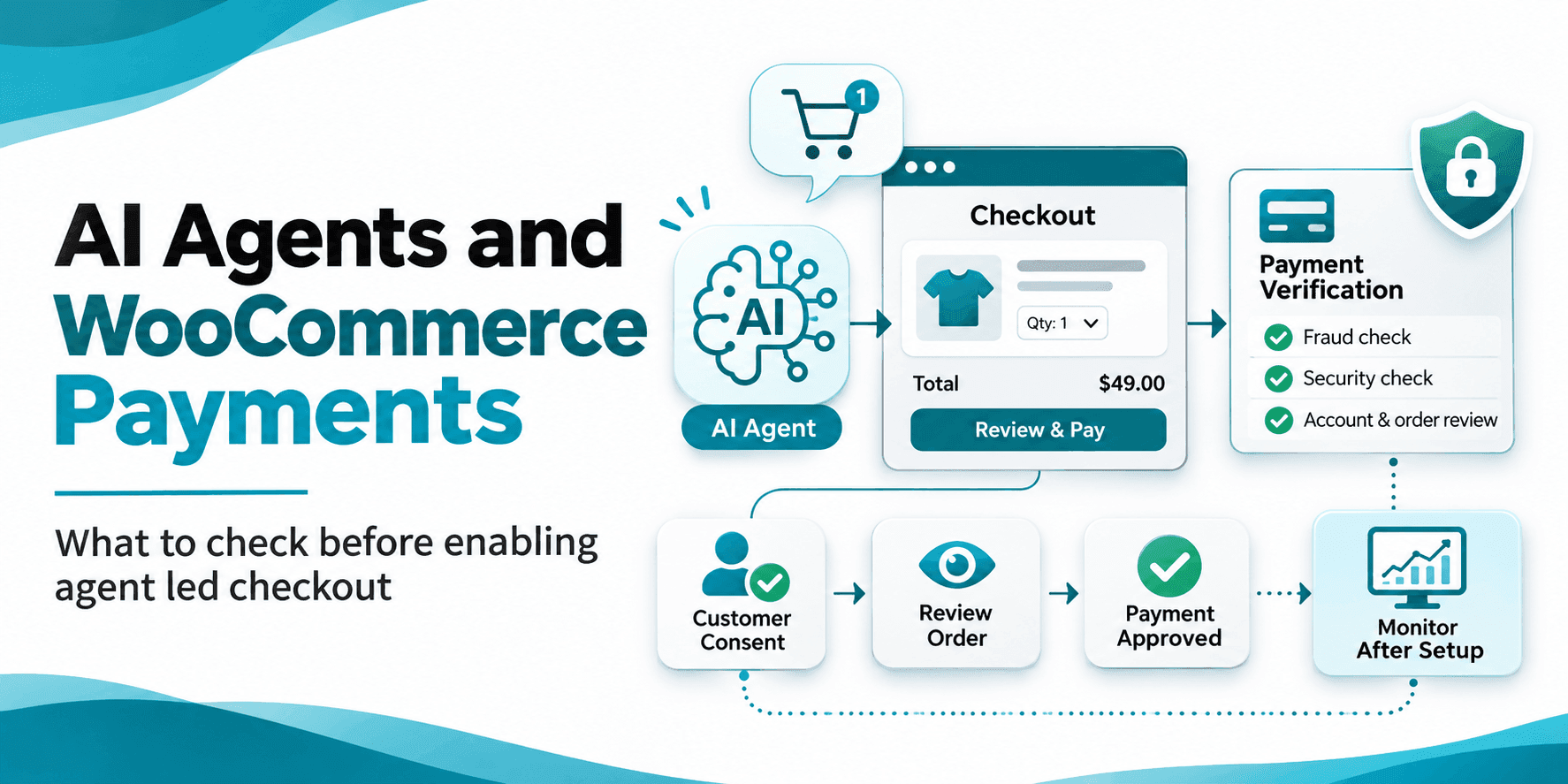
AI agents are beginning to take on shopping tasks that customers usually complete themselves, including moving toward a purchase. For a WooCommerce store, that raises practical questions about checkout, payment approval, customer consent, and security. WooCommerce has discussed agentic commerce payments, but that does not mean every store or payment gateway is automatically ready for agent led orders. Here’s what to check before changing your checkout or payment setup.
An AI shopping agent is software that can act on a customer’s behalf. Depending on the setup, it may help find a product, select an option, or initiate a purchase. Payment still depends on the store’s checkout and the payment provider’s systems to handle authorization and processing.
That distinction matters. An agent participating in a purchase is not the same thing as a new payment method built into every WooCommerce store. The exact steps depend on the tools involved and how they connect. WooCommerce’s overview of agentic commerce payments provides context on this developing area, but it does not establish that every gateway supports agent led transactions.
For your business, the immediate question is not whether an agent can do everything a customer can do. It’s whether your checkout, payment provider, and store policies can support a purchase initiated through an unfamiliar path without losing clear customer approval or reliable order records.
Automation could reduce some of the steps a customer takes to complete a purchase. But a shorter checkout is only useful if the customer understands what is being bought, the final price, shipping details, and the terms that apply. Make sure those details are easy to review before payment is approved.
Review the parts of your current checkout that prevent costly misunderstandings. Check that product variations, inventory status, shipping charges, taxes, discounts, and return information are accurate and presented clearly. If an agent or integration uses your product and checkout data, inconsistent information can lead to the wrong item or an unexpected total.
Also plan for the purchase that doesn’t go smoothly. Customers should have a clear way to ask for help, correct an order, or resolve a payment problem. AI assistance may handle routine steps, but it should not leave customers without a human support option when an order needs attention.
An AI agent making a purchase does not automatically mean your store has better fraud detection. Fraud screening is a separate responsibility, usually handled through the tools and controls available from your payment provider or other security services. What those tools can detect depends on your specific setup.
Ask your payment provider how it handles transactions initiated through an agent or other third party integration. Confirm what approval, authentication, dispute, and transaction review processes apply. Don’t assume an agent can identify a fraudulent order just because it can help complete a legitimate one.
Review how customer and payment information moves between your store, payment provider, and any connected service. Use supported integrations, limit access to what each tool needs, and avoid storing payment details outside the systems intended to handle them. If you cannot explain where sensitive information goes, pause before enabling a new connection.
You can start with a practical review this week. Document your current checkout and payment providers, then ask each provider whether it supports the specific agent or integration you’re considering. Get the answer for your account and configuration rather than relying on a general claim that a platform supports agentic commerce.
Not every gateway or store configuration will support the same capabilities. Don’t enable a new payment path on a live store until you understand the provider’s requirements and have tested the parts of the order flow that matter to your business.
After a new integration or payment option goes live, compare its performance with your usual checkout. Depending on the reporting available in your store and payment tools, look at completed orders, declined payments, cancellations, refunds, disputes, and customer support questions. A rise in checkout attempts is not a win if more customers are confused or orders require extra manual work.
Check the results regularly at first, and investigate unusual changes before adjusting other parts of your checkout. Keeping a clear baseline makes it easier to tell whether the new flow is helping customers or simply adding another place for an order to fail.
They may handle some routine shopping or payment steps, but customers still need a way to get human help with order changes, payment problems, and other exceptions.
Not by itself. Security depends on your payment provider, integrations, configuration, and review practices. Confirm how the specific setup handles authorization and fraud concerns.
That cannot be assumed. Ask your payment provider whether your account and configuration support the specific agent or integration you plan to use, then test the flow before launch.